

WEBINARS & TRAINING

WEBINARS & TRAINING

Randy Johnson Presents

Getting Started with Your SHARK CNC

Upcoming "LIVE" Webinars

Tuesday, Jan 13th, 2026, 8:00 PM EST

In this design-focused webinar, you will learn how to use 3D models in Vectric VCarve to create a two-sided candy dish.

What you will learn:

• How to plan and lay out a two-sided 3D project in VCarve • Using an imported 3D model for the dish

• Creating a circular array to repeat a 3D feature around a dish

• Applying 3D Combine Modes to blend details smoothly into curved surfaces

• Managing component heights for clean transitions and balanced proportions

• Design considerations that prepare the model for successful two-sided machining

Previous Webinar Videos

Featuring Randy Johnson

Author, CNC Trainer, and Master Woodworker. 
Getting Started with your Shark CNC

This one-hour webinar will show you how to get started with your SHARK CNC. Topics will include:

LCD Color Touch Screen Pendant Setup

This one-hour webinar will show you how to use the basic and advanced features on your LCD Touchscreen Pendant.

Ready2Control Setup and Operation

This one-hour webinar will show you how to use the basic and advanced features in Ready2Control.
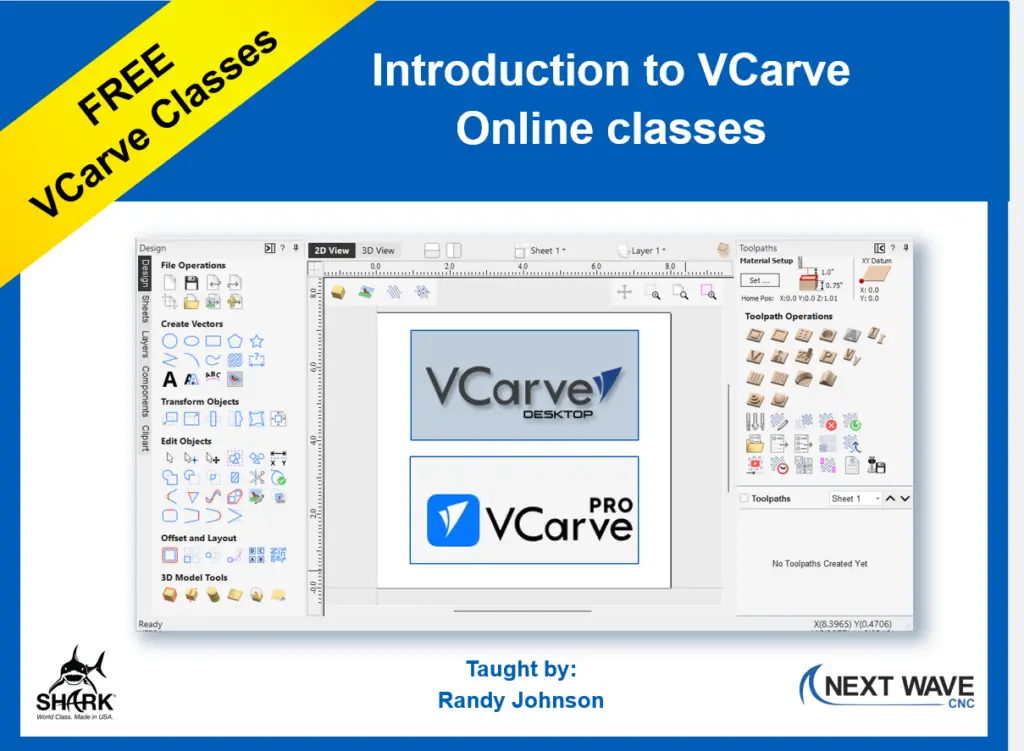
 

In this series of 90-minute classes, you will learn about the essential drawing and design tools in VCarve and how to set up toolpaths for your router bits. Whether you’re new to VCarve or need a refresher, this class provides a solid introduction to VCarve Desktop or VCarve Pro.

This class covers the following :

  • Creating and editing basic projects
  • Creating and editing text
  • Selecting the right router bit
  • Creating toolpaths
  • Determining the best feeds and speeds for your machine
  • Working with 3D models in VCarve
  • Creating 3D toolpaths for carving 3D modeling in VCarve
  • Open Questions and Answer times